
The dungeon I made in part 1 was a toy where cards and HP bars fought each other. It had shown that changing placement after seeing the enemy changes the outcome, so from the next day on I needed a structure that would last.
Fifteen commits between September 15 and 16. In those two days I wrote a huge amount of documentation, rebuilt combat, picked an art style and deleted the day-one prototype. As before, every image here was captured or made during those two days.
Writing it down first: 18 design documents
On the afternoon of the 15th I committed ten design docs at once: combat, adventurers, gear, economy and battle results, story, business (the idle mode), facilities, hiring and shop, tutorial and feature unlocks, and raid parties. Together with the seven from the first night and a dungeon view doc written that morning, that made 18 documents and 6,782 lines.
Why so many docs for a game one person is making? Because the rules are all tangled together. Change gear and combat changes. Change combat and rewards and the economy change. Change the economy and the shop and growth pace change. Anything I decide only in my head will drift out of line somewhere within days. So each doc also lists which docs it depends on and which ones it affects.
Keeping a list of what I hadn't decided
Writing docs keeps producing questions without an obvious answer. Instead of leaving them scattered around, I collected them in a decision list. Each question got a default to use for now, alternatives, and the docs it affects. It reached 24 entries in two days. A few of them:
| No. | Question | Answer |
|---|---|---|
| D-01 | Can you own several of the same monster? | Yes, per individual. Same species, separate level and gear each |
| D-02 | What does leveling up cost? | Gold only. No experience points |
| D-06 | Is combat turn-based? | Real time with cooldowns, calculated in 0.05-second ticks |
| D-09 | What's the mood of the setting? | A comic workplace story at the demon army's dungeon HQ. The lobby is the manager's office |
| D-13 | Random variance on damage? | No. Randomness only for crits and fleeing |
| D-16 | Can gear upgrades fail? | No failure. It just costs resources |
| D-24 | Art style? | High-resolution pixel art |
Choosing an office comedy over a dark demon lord story in D-09 leads straight to the game's name two days later. Until then the title screen said 던전 사업본부 ("Dungeon Business HQ"). Removing upgrade failure and damage variance happened here too. The same placement has to give the same result, or "read and counter" falls apart.
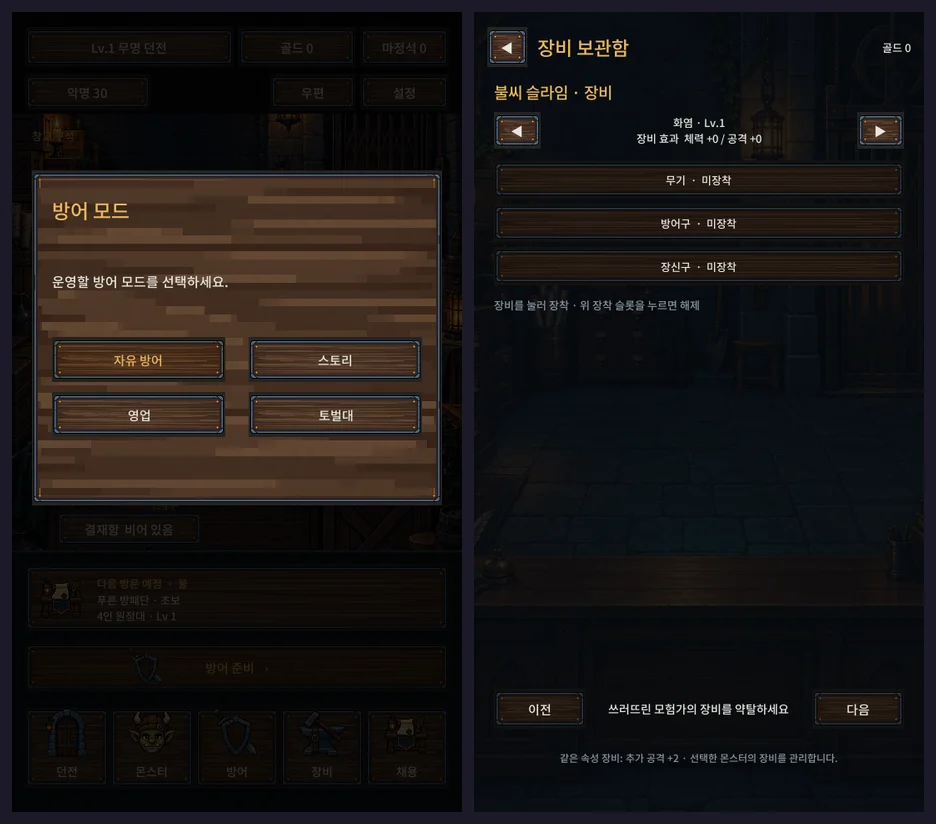
What went into the docs turned into screens one by one that week. The defense mode picker I captured on the afternoon of the 16th already has buttons for all four modes from the docs: free defense, story, business and raid.
"Watching is half of this game"
Day-one combat was numbers ticking down on cards. Good enough for checking rules, but in this game you spend a fair amount of time watching the fight after placing your monsters. The target in the design doc was 15 to 20 seconds per floor and 1 to 2 minutes per defense. If that time is boring, the whole game is boring.
So on the 15th the combat design doc says:
Drop both the card-plus-HP-bar presentation and the flat side view. Reason: watching is half of this game.
The new battle screen is a wide room seen at an angle from above. Adventurers come down from the top and my monsters stand below. Along the bottom are monster portraits, and when an ultimate gauge fills you tap the portrait to fire it yourself. Auto and speed buttons live there too. I looked at the battle screens of a lot of well-made collection RPGs, and what I took from them was framing and staging, not the art.
24 battle characters in one day
The evening I set that direction, I made and added the first pixel battle characters. It started with 9 characters and 153 frames, one arena background and some element effects. By about 11 p.m. there were 24 characters with 408 frames, 4 backgrounds, 20 element effects, 18 status icons and ultimate cut-ins, all wired up. Looking back, that much in one day still feels a bit unreal.
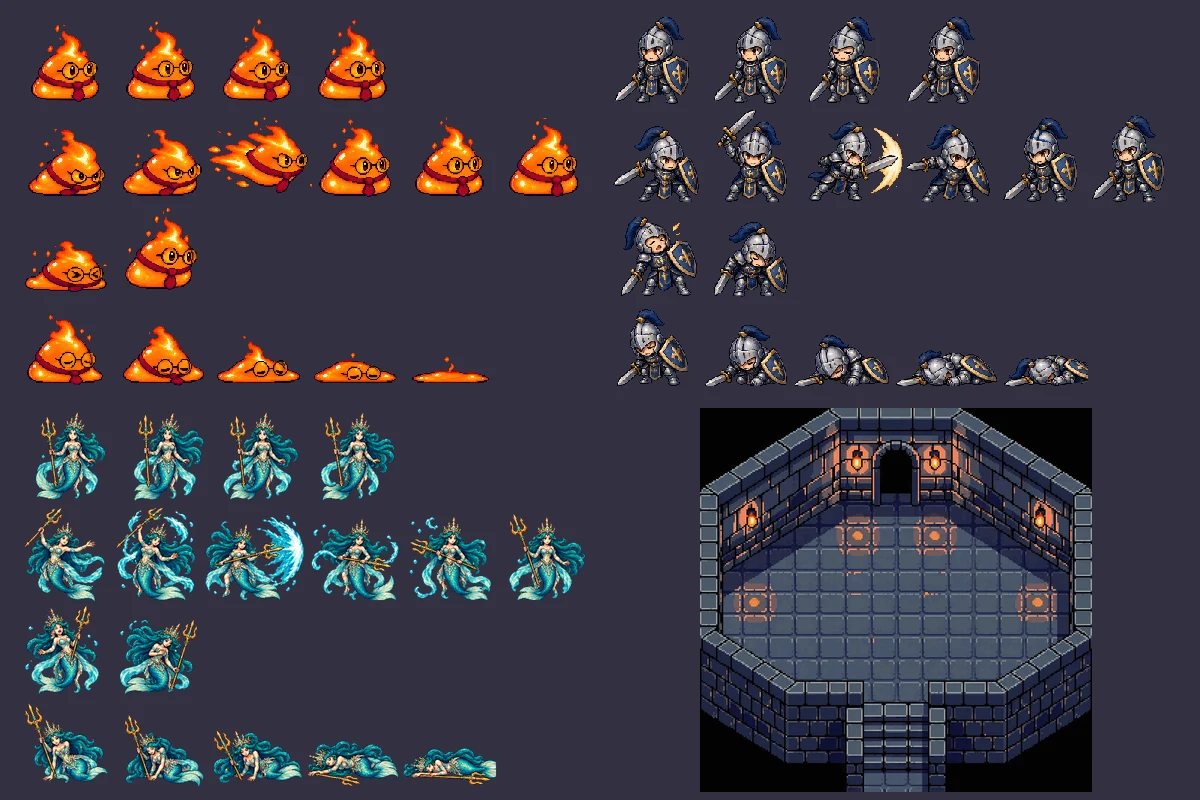
The character sheets came from AI image generation, and the arena backgrounds and element effects from PixelLab, an AI pixel art tool. Each sheet is a 6×4 grid: from the top, 4 idle frames, 6 attack, 2 hit and 5 death, playing at 12 frames per second. Adding a character means making one sheet in that layout.
From three elements to five
That day I also went to five elements, adding Light and Dark to day one's Fire, Water and Nature.
| Element | Resonance boosts | Mostly found on |
|---|---|---|
| Fire | Attack | Monsters and adventurers |
| Water | Survival | Monsters and adventurers |
| Nature | Speed | Monsters and adventurers |
| Light | Protection | Adventurers |
| Dark | Crits | Monsters |
Light and Dark are each strong against the other. Light is common among adventurers and Dark among monsters, so the hero versus demon army setup shows in the element spread too. By that night I'd filled in data and skills for 15 regular monsters, 4 bosses and 6 adventurer classes.
Dev notesCombat math and presentation talk only through an event queue
The thing I cared about most in the new combat engine was fully separating math from presentation. The combat core calculates by the rules in 0.05-second ticks and only outputs an event queue: "X hit Y", "X went down", and so on. The screen reads that queue and draws.
- 12 targeting rules (front enemy, lowest HP enemy, lowest HP in the back row and so on). If the front row is empty, it moves to the back row
- Exceptions use the same framework. If a monster is taunting, single-target attacks go to it. A mimic disguised as a treasure chest is only visible to parties with the "greed" trait for its first 3 seconds
- 18 status effects managed as a CSV table. Damage over time ticks every second, and crowd control on bosses is halved
- Damage is summed stats, then defense, then crit, then damage-taken modifiers, minimum 1. Randomness is only used for crits and fleeing
With that in place I could run hundreds of battles with no screen. The nine-combination check from day one moved over to the new engine. I tore up the presentation several times after this, and every time it was reassuring that win and loss math could be tested on its own.
I also opened an extension point so everything inside a floor (monsters, bosses, and later traps or fixtures) is handled as one "floor entity". There's no trap content yet. When there is, it should only take a data table row and a prefab.
The night of the 15th, the dungeon got deeper
Even after hooking up the combat engine I made five more commits that night. These were things the design doc had pushed to stages 2 and 3, and I ended up pulling them forward.
- Excavate: dungeon levels 1 to 30. Meet the Notoriety and gold requirement and excavate to add floors and raise the placement cap.
- Presets: from dungeon Lv.5 you can save default, story and business lineups and swap between them.
- Placement screen: pick a monster and tap a slot, or drag it from the list. While dragging it previews how aura, Resonance and floor combos change, and only saves when you drop.
- Watchtower: higher levels reveal individual adventurer elements, traits and potions, and even the gear they carry.
- Rewards and Notoriety: parties arrive by tier, and the more you stop, the higher your Notoriety, which brings stronger, richer parties.
This was also the first time I set reward numbers properly. Wiping out a four-member veteran party gives 180 gold and +45 Notoriety. Taking down two while the rest flee gives 60 gold and +15. Getting broken through costs 60 Notoriety. The placeholder formulas from day one, like "40 gold for a win", went in the bin here.
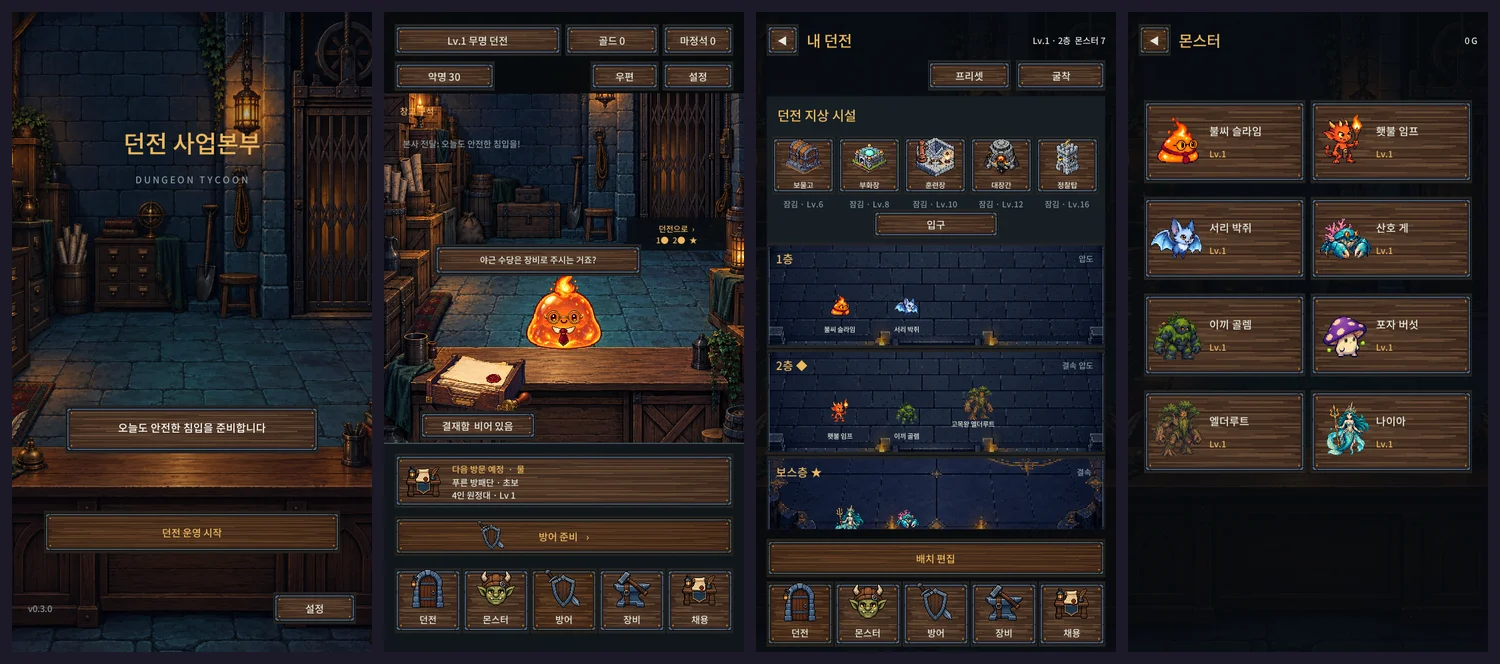
At this point the ember slime secretary in glasses would say "Overtime gets paid in gear, right?" in the lobby, with "From HQ: Have a safe intrusion today!" running across the top. The title screen line was "Preparing for another safe intrusion today." Looking at it now, the office mood was showing up in lines like these before it showed up in the systems.
An in-tray instead of popups
I decided one more thing about the lobby. Nothing pops up automatically when you enter. Whatever happened while you were away becomes paperwork that piles up in the in-tray on the desk, and you approve it one sheet at a time. Business reports, hatch notices, nemesis alerts, approval memos that unlock new features, personnel orders when the office expands.
Documents with rewards go on top, and there's an "Approve all" button above them. Unapproved documents are saved, so they survive closing the app. Past 20 sheets, the oldest view-only documents get handled automatically, and reward documents are never auto-cleared. When papers pile up, a count shows above the in-tray and the secretary says "Documents are in for approval!"
Instead of a chain of popups every time you come in, it all stacks up as paperwork and you go through it when you want. It also fits the office setting nicely. I kept it separate from the mailbox: mail is for operational rewards, the in-tray is for things that happened in the game.
A bigger dungeon gets a bigger office
The lobby office is designed to change with dungeon level. It starts as a storeroom corner: papers on crates, a single candle, a broken manual elevator. From Lv.5 it becomes a manager's office with a desk and a notice board, and the plan goes on through bigger offices until, at Lv.30, it's the head of the business division's room with a portrait of the demon lord on the wall. When the stage changes, a short scene of worker monsters moving boxes plays as you return to the lobby. Furniture for features you haven't unlocked yet stays under an "under construction" sheet even after the stage changes.
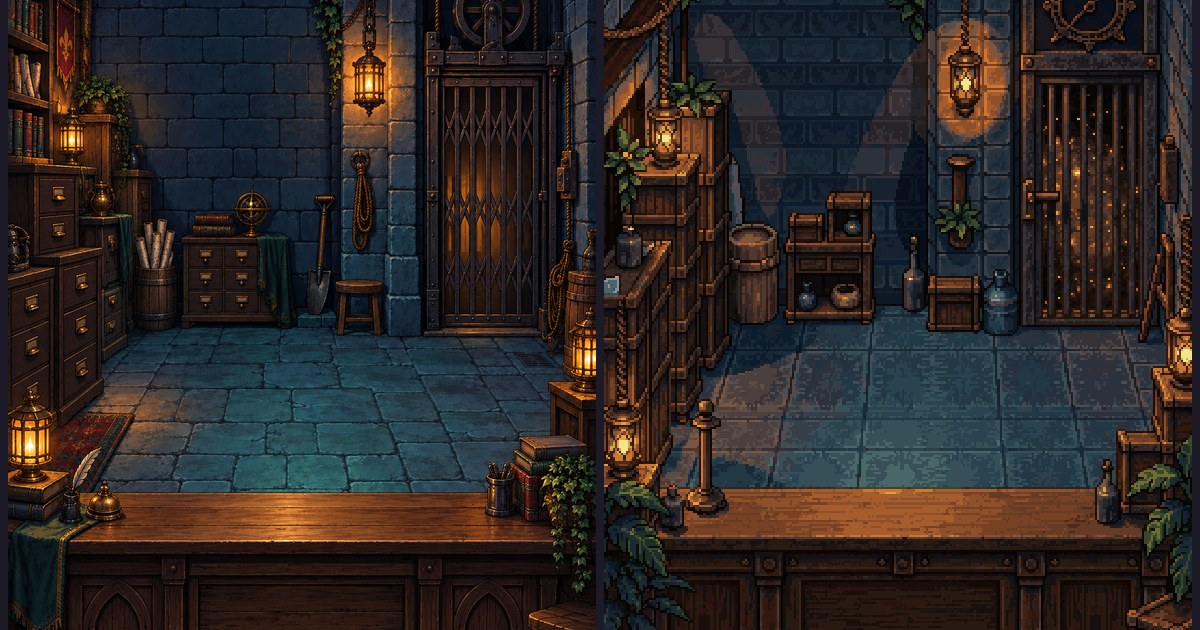
On the afternoon of the 15th I also made the stage 2 office background: filing cabinets and shelves where the crates were, and a proper desk. That's the office on the cover.
Going pixel art
On the morning of the 15th I put the first art into the lobby. A torch-lit dungeon office, a manual elevator, filing boxes, and an ember slime secretary with glasses and a tie. It was made with an AI image generator. I'd clearly asked for "pixel art", but what came back was closer to a detailed painted illustration than pixel art.
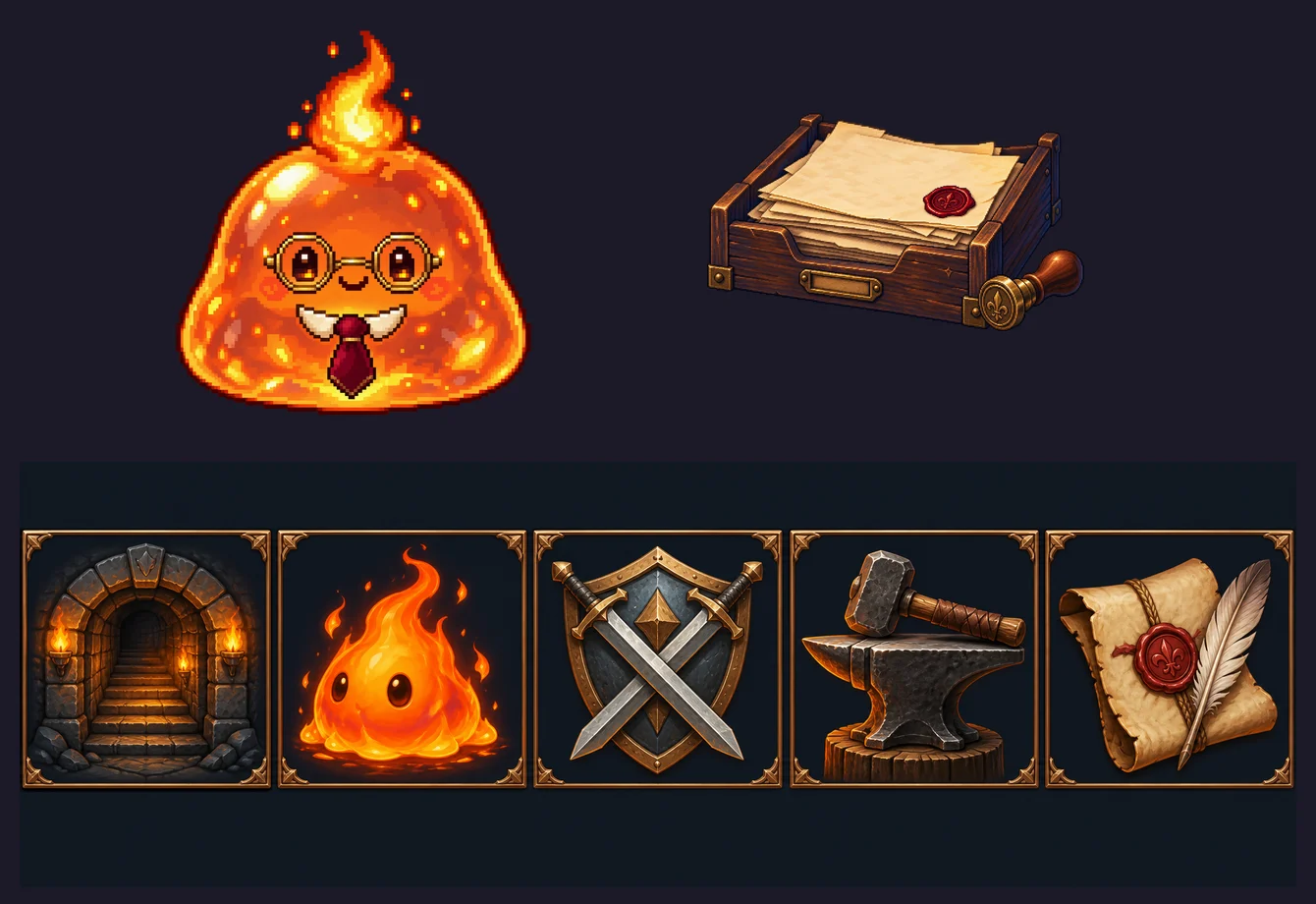
Settling the battle screen direction that day meant settling the art style too. Either go with painted illustrations and animate characters by cutting them into parts, or go with high-resolution pixel art. Battles need dozens of species attacking, getting hit and going down, and pixel art fits frame animation well, so making moving characters was actually easier. The battle characters above were made as frame sheets the same way. Pixel art also suited the comic office mood better.
So I committed to high-resolution pixel art, and the next day turned the lobby art into real pixel art.
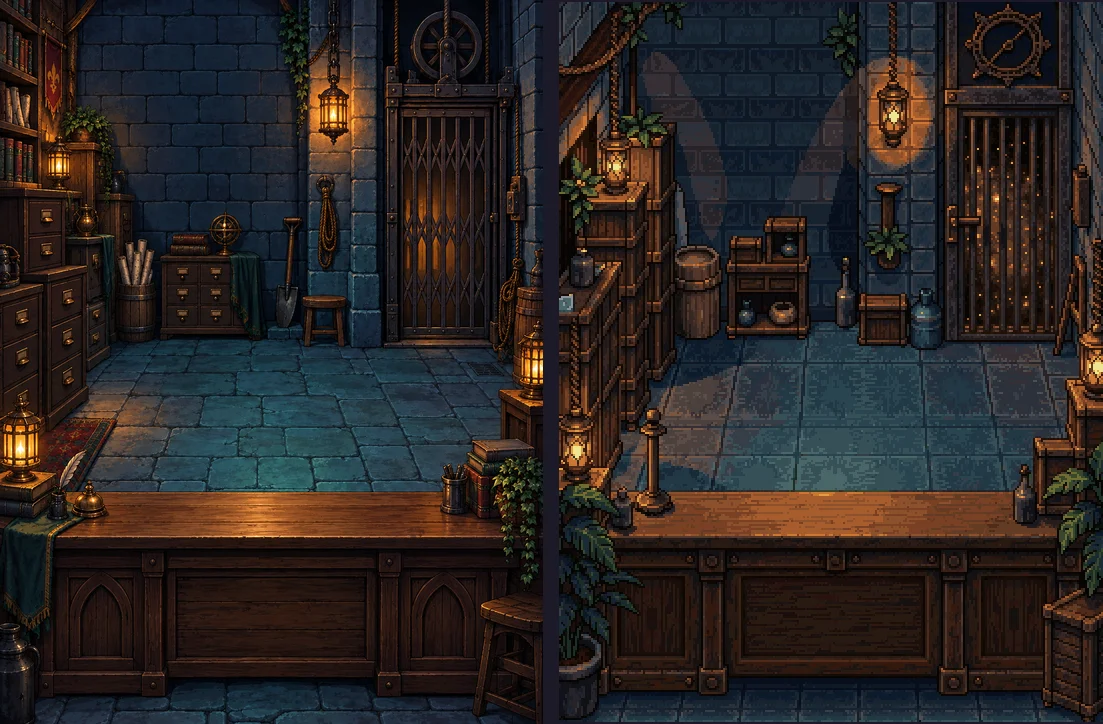
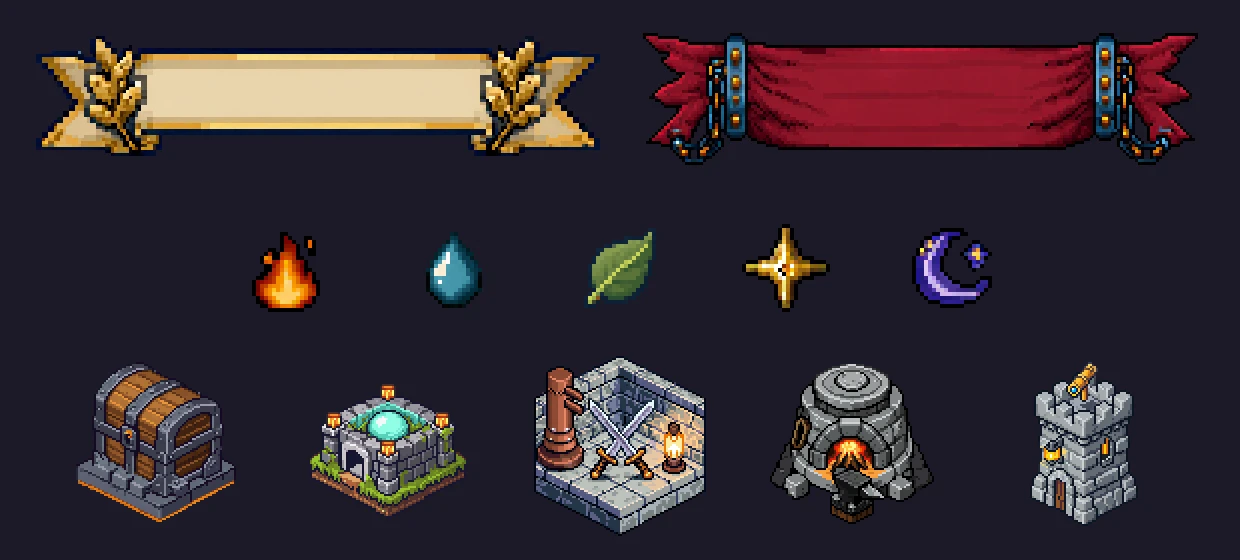
I didn't redraw it. I converted it to pixel art while keeping the original composition. The elevator, desk and secretary spot stayed where they were, so I didn't have to touch the screen layout at all. The same day I remade panels, icons, result banners and gauges as pixel art and added a Korean pixel font.
Dev notesSwitching in a way I could undo
I didn't delete the originals. The pixel versions went into a Pixel/ folder with the same file names, and one setting (PixelOffice) swaps between painted and pixel art.
- The pixel background is 272×360 and drawn at exactly 2x on screen with no filtering (Point filter). A non-integer scale smears the pixels.
- For the conversion I scaled the original down at the same ratio and ran PixelLab's image-to-pixel-art conversion. I tried different strength values (how closely it follows the original) and seeds until I found ones that kept the composition intact.
- UI frames come in five skins: wood, iron, chip, slot and parchment. Iron is the default, and wood is reserved for primary buttons and lobby props so the things you can tap stand out.
- The Korean pixel font is Galmuri, which is free to use. Font sizes are rounded to the pixel grid.
I kept the prompts and settings used for generation in the art folder's README. You really need them later when making more in the same style.
One second after the battle: result screen and settlement
On the afternoon of the 16th I built the battle result screen: a win or loss banner, a summary of the enemy party, the MVP monster, rewards that count up, cards for gear you got, a Notoriety gauge and a battle log. Tapping the screen skips the animations. A failed defense loses 10% of your gold, with a cap, and nothing if you have under 100 gold.
To the player it's just a result screen, but for me it's the moment that needs the most care. Rewards, losses, gear, Notoriety and the next visitor all change at once, and if the app closes in the middle of that, rewards can arrive twice or only halfway.
Dev notesCalculate everything, then save once
Settlement first calculates everything in memory, summary, rewards, losses, wallet, Notoriety and the next visiting party, and saves exactly once at the end. If anything fails midway, the save file is left untouched.
- Each settlement records a request ID so the same battle is never settled twice. The various "gear received" flags from day one were replaced by this single ID.
- If saving fails, the result screen's confirm button is blocked and a retry prompt appears.
- If the app closed mid-battle, the saved "pending settlement" result brings the result screen back.
In those two days the save format changed three times: v4 (in-tray), v5 (pending settlement recovery) and v6 (five elements, new placement structure). Each time I added code to migrate older saves to the new format. Saving still causes one big headache later. I'll cover that separately further into the series.
Deleting the prototype, and the first APK
The commit message from 2:37 p.m. on the 16th has this line: "Delete the prototype adapter and prototype scene." The dungeon I built in an hour on day one disappeared here. The new battle scene took over the battle screen, and the forge screen took over gear storage. Only the nine-combination check survived, moved over to the new engine.
That evening I wrote a build script that produces an Android install file (APK). The project's default package name had a hyphen in it, which Android doesn't allow in an app ID, so I picked a new one then. You can build from an editor menu or in batch mode without opening the editor. Three days in, I could put it on a phone for the first time.
Commit log, Sep 15 to 16, 2026
- Shared foundation and lobby scope done
- Manager's office lobby, in-tray, first lobby art
- Ten more design docs
- Pending settlement recovery, angled 3/4 arena direction decided
- Five elements, dungeon placement, monster model
- New combat engine (event queue, targeting rules, status effects)
- Arena presentation, first 9 pixel characters
- Battle flow, synergy, monster skills, rewards
- Excavation, presets, adventurer parties
- Drag-and-drop placement, scouting reveals
- Battle presentation finished, 24 pixel characters
- Result screen and settlement, prototype deleted
- UI skins, pixel font, lobby switched to pixel art
- Android APK build script
Looking back on the two days
Less dramatic than day one, but what I settled here followed me for the whole month. The decision list kept growing a little after this and is at 27 entries now. Pixel art, combat split by an event queue, and settlement that saves once are all still in the game today.
Next time: September 17, the day monsters got levels and awakening, and the gear taken from heroes became a real gear system. That's also the day the game got its name. If you're curious about the game now, the game page (in Korean) has screenshots.
NOW AVAILABLE
Dungeon Division
Heroes are intruders, monsters are staff. Save Dungeon No. 7 from being shut down.
Available on the Korean App Store (iPhone/iPad), with English in Settings. Android is not out yet.