
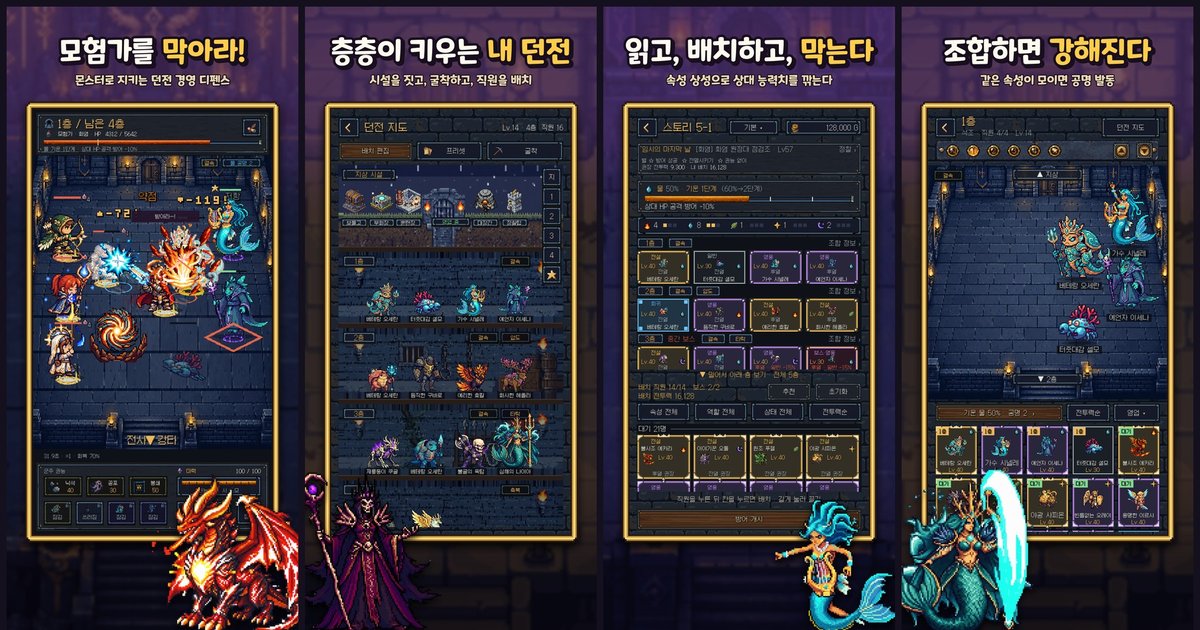
Dungeon Division (Korean title 「마계공단: 던전사업부」) is a mobile dungeon management game where you hold off invading adventurers with your monster staff. It's on the App Store now, but as of October 13 it only ran on my own phone and inside the Unity editor.
This post covers the nine days in between: opening a Google Play internal test track, running iPhone builds through TestFlight, making the store screenshots, and submitting the game for App Store review. Going by the commit history, that stretch has 130 commits. I already wrote about the shop and the payment server in part 10, so this one sticks to making builds, testing them and getting them out the door.
First, a Google Play internal test track
At 10:43 PM on October 13 I released the first version, 1.0 (2) - Internal setup, to the internal test track in Play Console. The testers were two Google accounts I'd registered. The release note said "payments disabled". Nothing went to production.
Google Play has a few levels of test tracks. Internal testing is the innermost one: only people on the list can install it, and you don't wait long on review. For a one-person project it was the fastest way to get a new build onto a phone.
There were more settings to touch than I expected. I added the same two accounts as internal track testers, as account-level license testers, and as Play Games Services testers. They need to be license testers so test purchases don't actually charge anyone, and Play Games is managed separately because it handles sign-in. The first AAB was about 140 MB, ARM64 only, minimum Android 7.1 (API 25), target API 36.
From the next day I was uploading a build every few hours. On the 14th alone, 1.0 (3) through (8) went out.
| Build | Date | What changed |
|---|---|---|
| 1.0 (2) | 10/13 22:43 | First internal release, payments off |
| 1.0 (3) | 10/14 12:18 | Payments on |
| 1.0 (5) | 10/14 | Fixed cloud backup blocking purchases |
| 1.0 (6) | 10/14 | Purchases separated from backup state |
| 1.0 (7) | 10/14 18:30 | Four Mana Gem packs |
| 1.0 (8) | 10/14 22:00 | Shop update |
| 1.0 (10) | 10/16 | New sound effects |
| 1.0 (11) | 10/18 | Staff attack and idle animation art |
| 1.0 (12) | 10/20 | Floor screen, Ultimate and Rockfall effects |
| 1.0 (13) | 10/21 | Live ads, account deletion on |
1.0 (5) was the first build where three test purchases were delivered correctly on a real device. The bug wasn't in the purchase code at all. It was in cloud backup. When I added purchase fields to the save layout, every older backup got rejected as "wrong format", and once backup was in an error state it also shut the account check that purchases depend on. No store connection, no server call. In the very next build, (6), I split them apart so purchases work as long as the account is confirmed, even if reading or uploading the backup fails. The diagnostic text that used to explain this on the tester's screen now only goes to the device log.
Dev notesA version code can only be used once
Play Console never accepts the same version code twice, so I made the internal-test AAB build menu bump the version code by one on every build. Even so, the build on the night of the 16th went out as 10, not 9. The commit message says it plainly: an earlier build had already used 9.
The handoff doc from the 21st notes a similar trap. Unity on the Mac once wrote an old version code (11) it was holding in memory back into the project settings while building for iOS. Android builds happen on a different desktop, so the doc says to check that the setting matches the last released number before every build.
On the 14th I also started shipping native debug symbols inside the bundle. Play Console was warning "no debug symbols" on every internal build, and without them crash reports show addresses instead of function names.
Also on the 14th I filled out the content rating questionnaire (IARC) for the first time: fantasy pixel violence, mild blood, digital purchases that include random items, no interaction between users. Korea's Game Rating and Administration Committee came back with 12+. Brazil gave it 18 and Australia an adult rating, because of paid random items. I wrote myself a note to revisit the country settings if Korea goes first.
TestFlight for iPhone
The iOS side started on the night of the 15th. I first wrote Game Center sign-in for cloud backup, built the same way as Play Games sign-in on Android: you start as a guest and link a Game Center account on top. The code stayed switched off until the iOS config file was added, and that day's commit message says "no iOS build or device test yet". On the morning of the 16th I registered the app in App Store Connect. I picked South Korea as the only sales country. Selling in the EU requires separate trader information, so I put that off.
Registering 20 in-app products meant every product needed a review screenshot. At 9:52 AM I captured all 20 in the editor in one go.
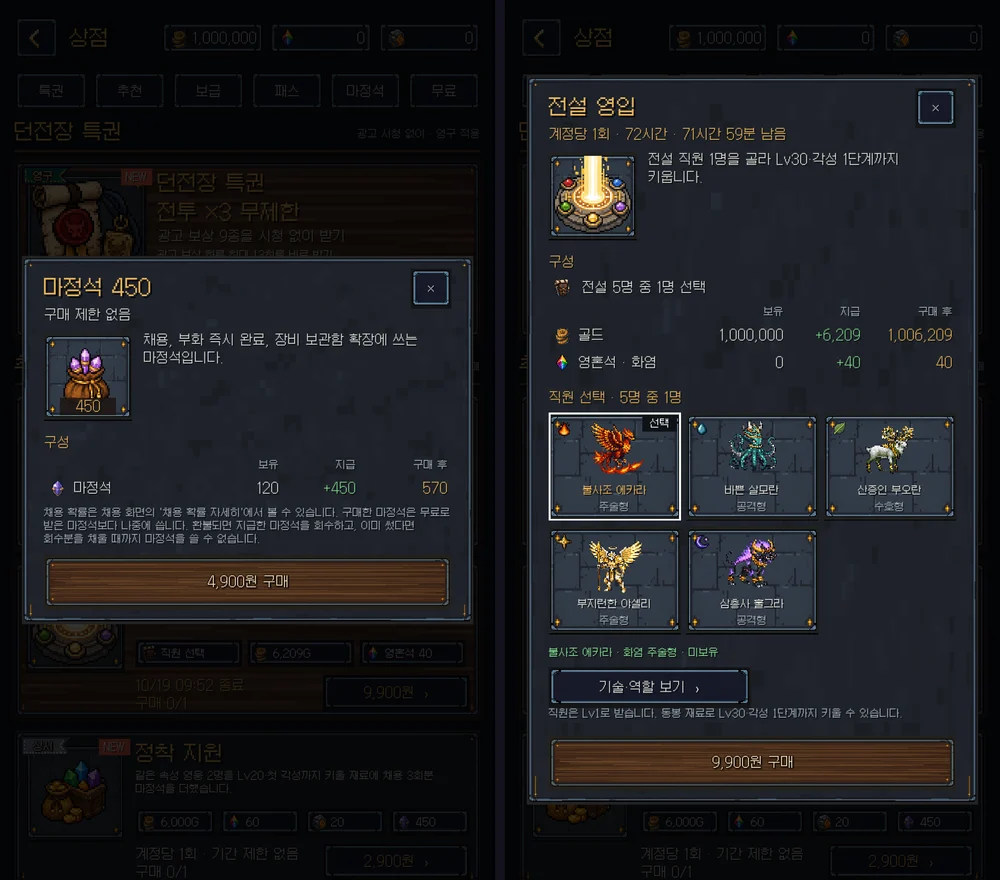
At 4:17 PM I uploaded TestFlight build 1.0 (2). Most of the time getting there went into signing and build setup. I had no registered devices, so Xcode automatic signing didn't work, and I made a distribution profile and set it by hand. The new Xcode also refused to build because the ad consent (UMP) library declared too low a minimum iOS version, so I added a step that raises every third-party library to iOS 15.
After that, TestFlight builds went out on the 18th (3), the 20th (4), and the 21st (5) and (6). Bump the build number, archive, upload, repeat.
Dev notesBefore your first release, Production returns 401
App Store purchases are verified on my server by asking Apple about the transaction. Apple has two servers, Production and Sandbox. Purchases made in TestFlight or during app review are sandbox transactions, and my first version asked Production first and fell back to Sandbox only on "transaction not found".
The catch was that Production didn't say "not found". It said authentication failed (401). That stayed true even after the paid apps agreement went active on the 17th. I found an answer from a maintainer in an issue on Apple's library repo: the Production API returns 401 until the app's first App Store release. So now, before release, a 401 from Production also falls through to Sandbox. Without that, the reviewer's test purchase would have been rejected.
What I built between test builds
It wasn't only uploads. Every internal build carried game changes too.
The 16th was almost entirely sound. I generated new staff voices with ElevenLabs and swapped them in grade by grade: 45 Common, 26 Rare, 33 Epic, and 45 Legendary sets. I replaced the five boss voices, and gave voices to adventurers and guildmasters, who had none before. The guildmaster raid, which used to be silent, got 35 sound cues. I leveled loudness per grade by perceived loudness rather than peak, so a Legendary staff member sits just under a boss shout.
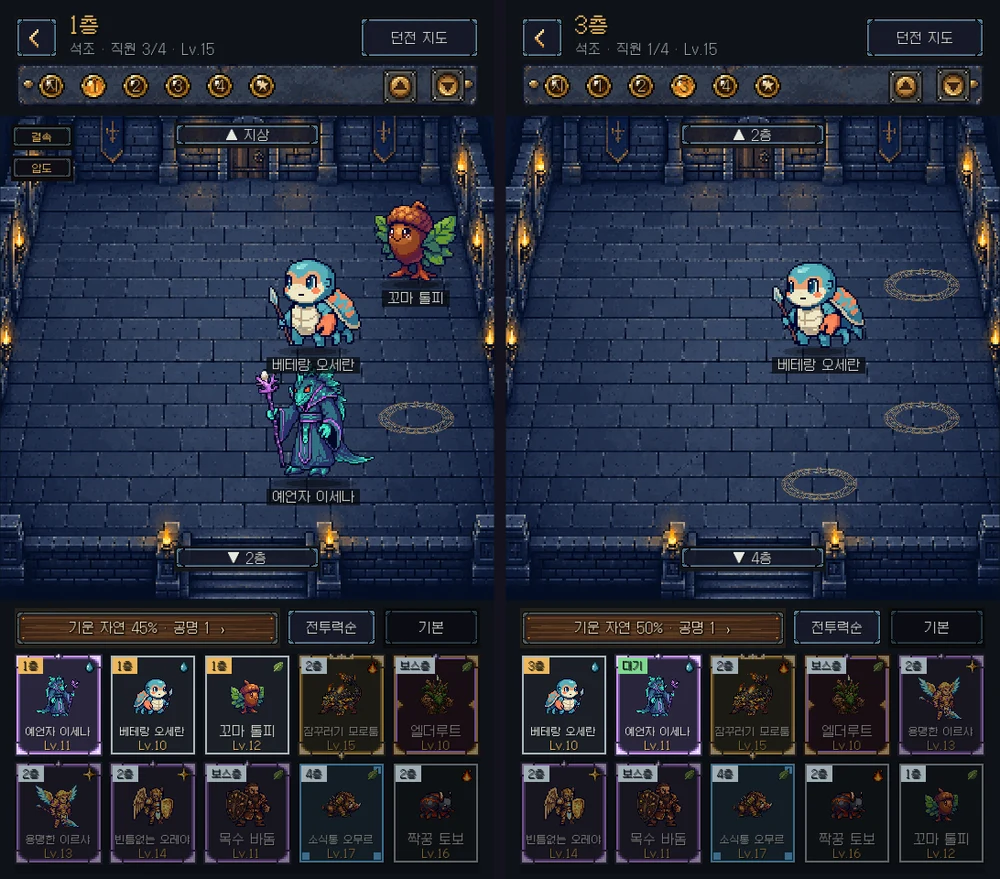
On the 19th I rebuilt the dungeon tab. It used to be a stack of horizontal cross-section strips, one per floor. Now it shows one floor at a time on top of the same room art the battles use. Swipe up or down to change floors, and long-press a staff member in the drawer at the bottom and drag them onto the floor to assign them. No more going into a separate lineup screen.
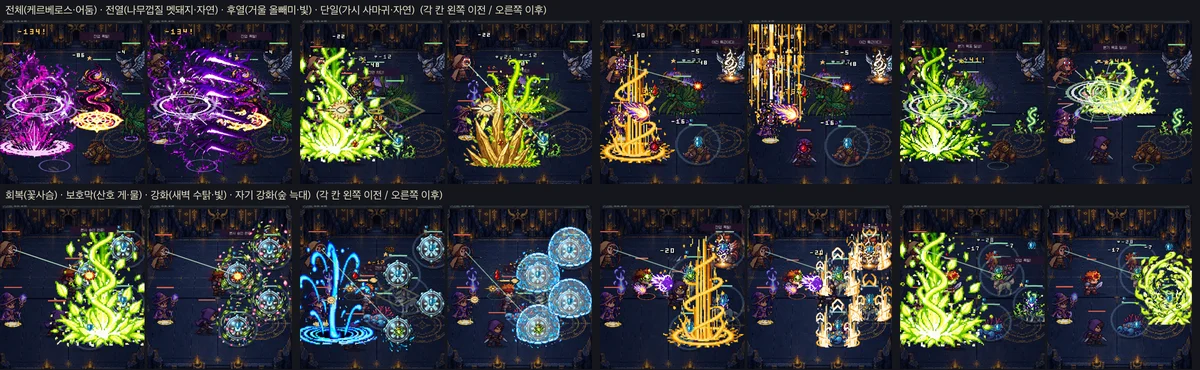
The 20th was battle staging. Every Ultimate used to be "one elemental blast in the middle of the enemy side", so heals and shields looked like attacks. I split Ultimates into types like all enemies, front row, back row, single target, heal and shield, and played each effect over the units it actually hits. The 44 Legendary staff each got their own Ultimate art.
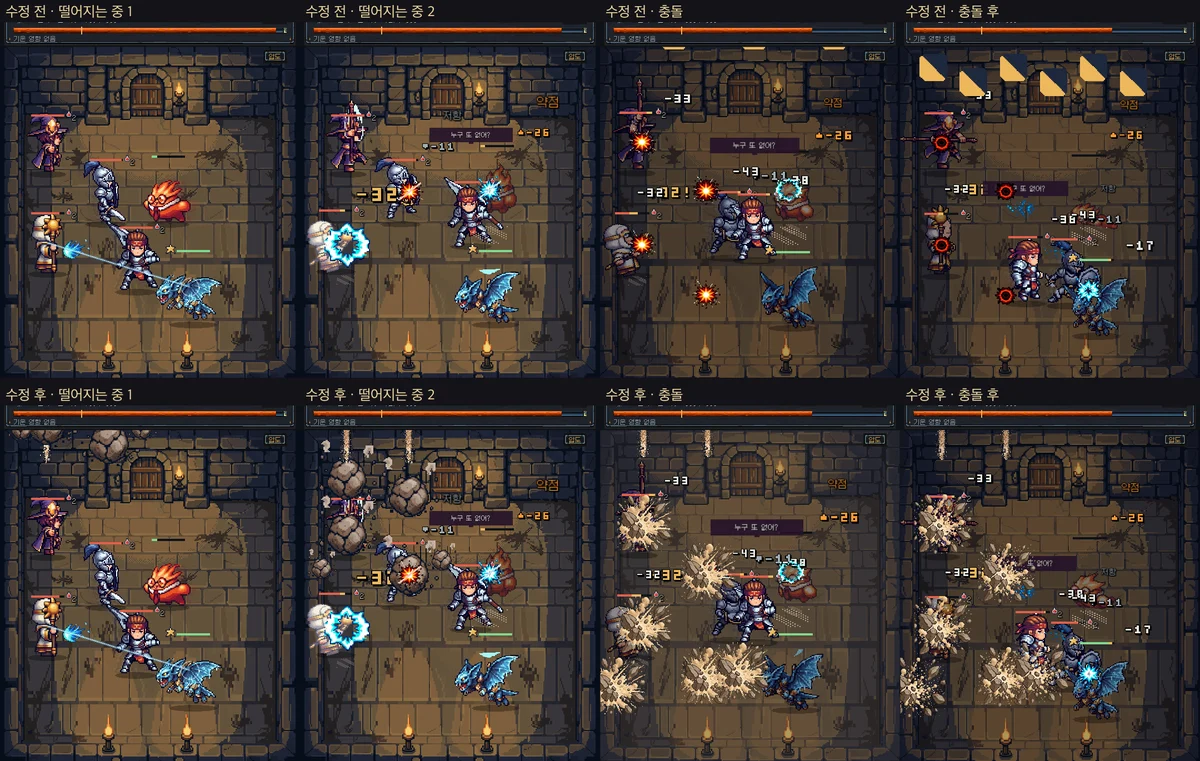
In the afternoon I fixed Rockfall, the Manager's power. Until then, six two-color 32-pixel squares dropped onto fixed spots, and only after the damage numbers had already appeared. I drew new tumbling rocks, ceiling dust and a shatter effect in PixelLab. Now each living adventurer gets a head-sized rock, and two misses land on the floor. The screen shakes and briefly freezes on impact, and the rockfall sound plays at that moment only.
Eight store screenshots
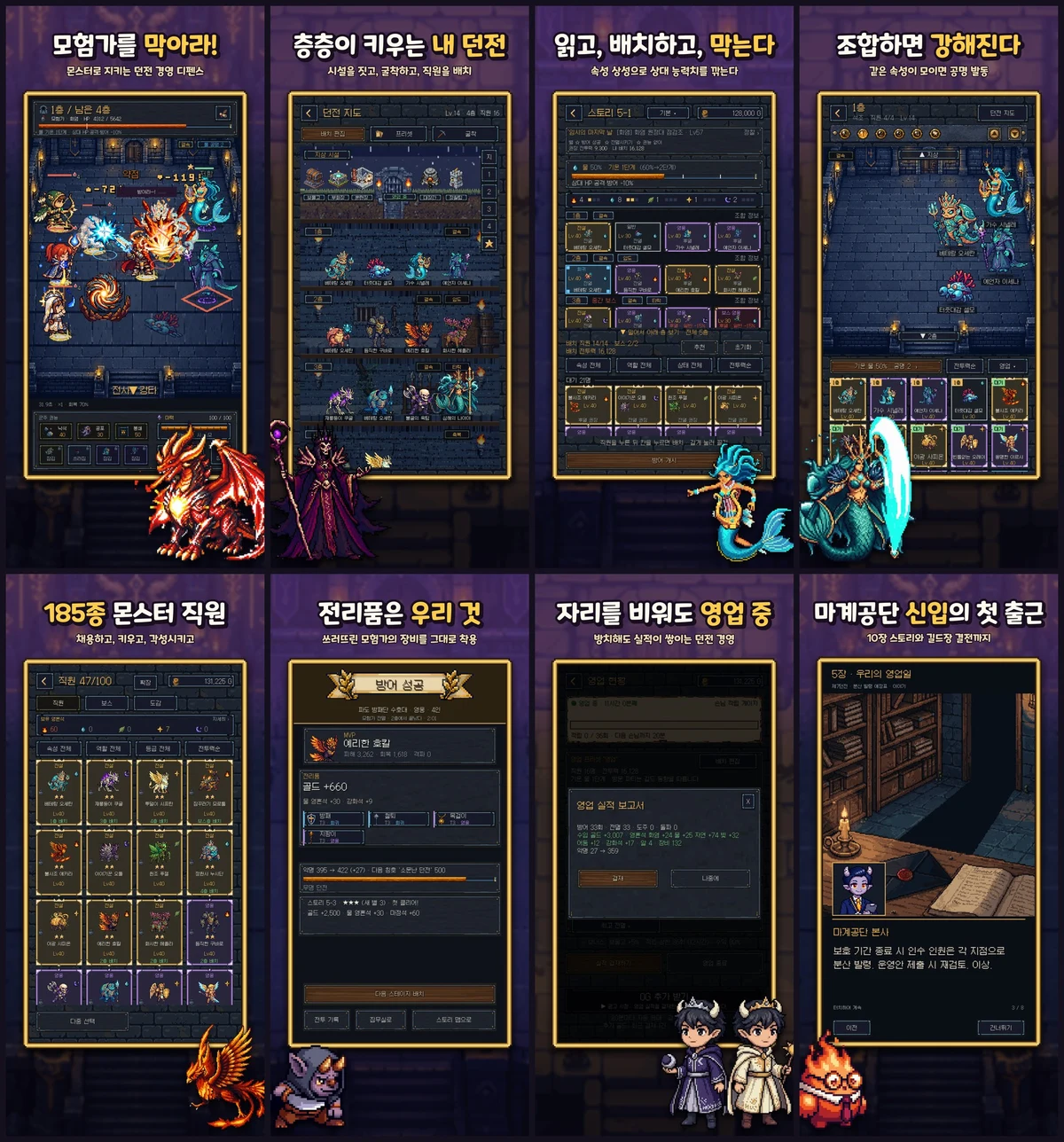
On the afternoon of the 21st I made the store screenshots. I wanted real gameplay, but my dev save was in a very strange state. So I wrote an editor tool that backs up the current save, loads a showcase save (cleared through chapter 4, 37 staff), captures the game at 3x, and restores the original save.
A script composes the captures with the caption, frame and character art. It stops if a caption contains a glyph the font doesn't have. The caption font is Nexon's Maplestory Bold, and I checked Nexon's font FAQ to confirm commercial use is allowed. The same eight shots were exported for iPhone 6.9", iPad 13" and Google Play, plus the 1024×500 Google Play feature graphic.
The eight Korean headlines translate roughly to "Stop the adventurers!", "Grow your dungeon floor by floor", "Read, assign, repel", "Combine to get stronger", "185 monster staff", "The loot is ours", "Open for business while you're away" and "A Netherworld Inc. rookie's first day". In order, they show battle, the dungeon, lineup, element combos, collecting, gear, idle income and story, one thing you do in the game per screenshot.
I entered the store listing through the API: name, subtitle, description, keywords, categories (Simulation, Strategy) and 16 screenshots. In the keywords I dropped "offline" from the draft and added "defense game". I set the release to manual, so passing review wouldn't publish it right away. The support URL, privacy policy URL and marketing URL all point to this website. The site's policy pages were finalized that same day.
I pressed the submit button twice
The afternoon of the 21st was for switching on everything that had to be on before release. At 2:05 PM I moved the release build's rewarded ads from test ads to live ads. Development builds still use test ads. If no ad loads, after 15 seconds the game says "No ads right now" and shows the remaining wait. The AdMob account was still under review, so ads might barely show. At 4:05 PM I turned on in-app account deletion and built TestFlight 1.0 (6).
In between, at 4:43 PM, there was an accident. While checking the draft before submission, I pressed the "submit draft" button on screen, and that carried through to the panel's "Submit for Review". It got submitted by mistake. I canceled right away. The version went back to Developer Rejected and the products back to Ready to Submit. The handoff doc has an "incident log" section describing exactly that.
Then I checked TestFlight 1.0 (6) on my phone and submitted for real at 4:58 PM: app 1.0 plus all 20 in-app products. I published a 12+ age rating and a privacy label with 10 data types and no tracking. The review notes said no sign-in is needed, rewarded ads unlock after clearing story stage 1-5, and what message shows when no ad is available.
At 5:07 PM the same evening I built Android 1.0 (13) for closed testing. The Android release continues on another desktop rather than this Mac, so I wrote a separate handoff doc to start from there. At 10:08 PM I added Firebase Analytics so events like battles, hires and tutorial progress get recorded. Advertising ID and personalized ads stay off, and deleting the account resets the analytics ID too.
Key commits, Oct 13 to 21, 2026
- First Google Play internal test release, 1.0 (2)
- Cloud backup decode fix; 3 test purchases delivered on 1.0 (5)
- Content rating (IARC) submission recorded
- Native debug symbols in the Play bundle
- Game Center sign-in
- App registered in App Store Connect, 20 IAP review screens
- Started replacing staff voices with ElevenLabs
- First TestFlight build uploaded
- Production 401 falls back to Sandbox before first release
- Dungeon tab shows one floor at a time
- Ultimate staging split by type
- Release build switched to live ads
- Store listing draft, 8 screenshots
- In-app account deletion on, TestFlight 1.0 (6)
- Submitted for App Store review
- Firebase Analytics
Looking back on the nine days
I didn't expect to upload internal builds this often. Writing what changed in each build's release notes paid off, though: I could always find which build fixed what. And just like in part 4, a lot of problems only showed up once the game was on a phone.
The review result is in the next post. Two days later the game launched on the App Store, and right after that I made the English version. You can see what the game looks like on the game page (Korean).
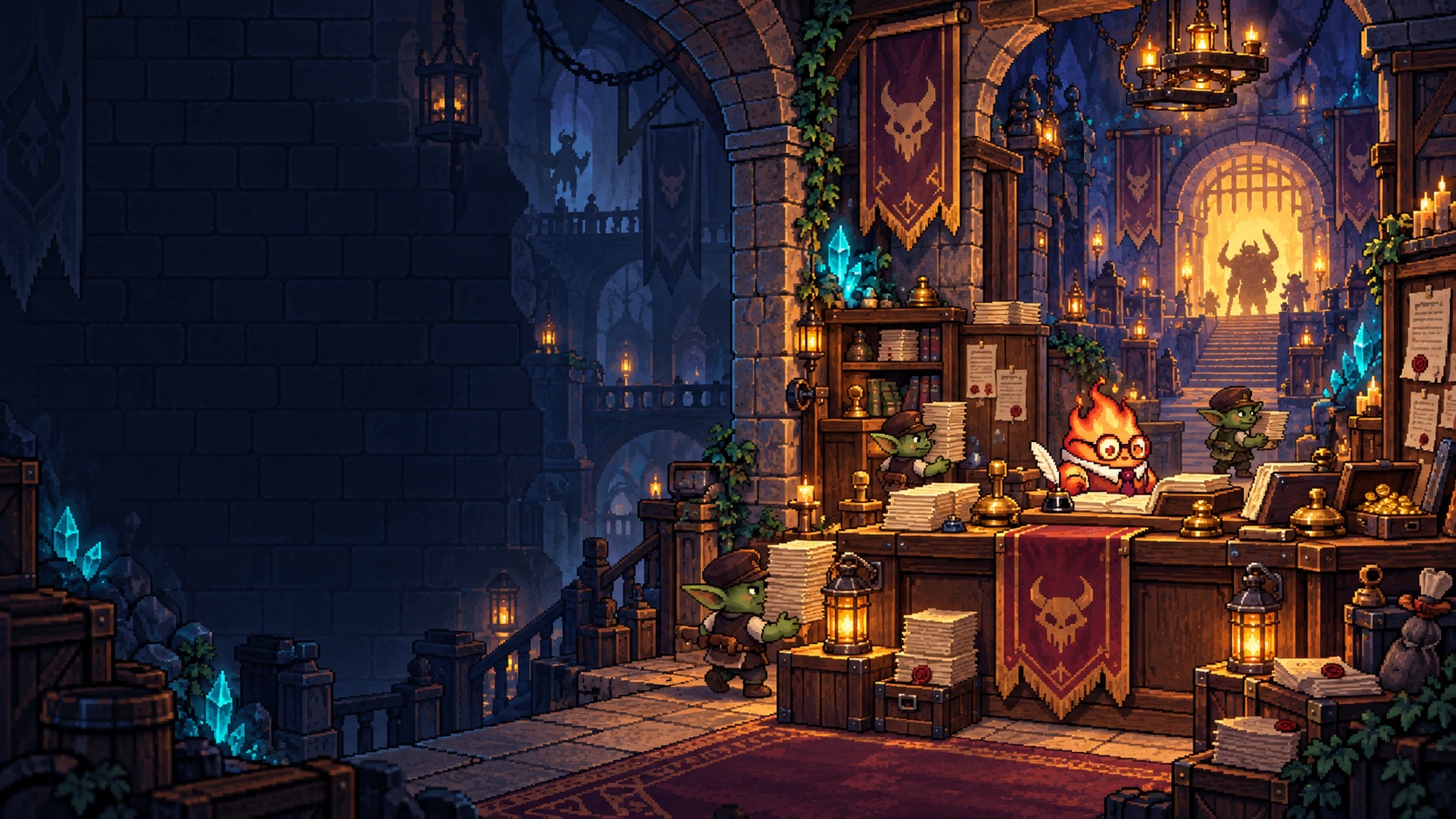
NOW AVAILABLE
Dungeon Division
Heroes are intruders, monsters are staff. Save Dungeon No. 7 from being shut down.
Available on the Korean App Store (iPhone/iPad), with English in Settings. Android is not out yet.